
What Is Ford Co-Pilot360, and How Does It Work?
Posted at Wed, Oct 1, 2025 11:45 AM
Ford Co-Pilot360 is Ford's driver assistance technology package designed to help you feel more in control behind the wheel while driving the streets of Oracle. These systems use advanced radar, cameras, and optical sensors to scan around your vehicle for potential hazards. When a system detects a possible problem, it alerts you with visual and audio cues to help you react. In certain circumstances, these systems can provide emergency braking and steering support to help you mitigate or avoid a potential accident.
At Stivers ORO Ford, many of our customers ask us, "How does Ford Co-Pilot360 work?" So, we had our experts review the various Ford Co-Pilot360 features here to help you understand the increased confidence drivers enjoy with this cutting-edge technology.
Blind Spot Information System (BLIS) With Cross-Traffic Alert
Ford's BLIS with cross-traffic alert uses sensors mounted on the rear bumper that face back and to either side. The system activates when you reach three mph and remains active until you turn off your vehicle. The side-facing sensors alert you when a vehicle enters your blind spot on either side. An indicator light illuminates on the corresponding side-view mirror and remains on while the vehicle or vehicles are present.
The cross-traffic alert sensors activate while driving in reverse. You'll receive a chime alert when a vehicle approaches from either side as you back out of your Oracle driveway or parking space. You'll also see a visual alert in your message center that shows you from which side the vehicle is approaching.
Lane-Keeping System for Safer Highway Driving
The lane-keeping system Ford developed uses a forward-facing camera mounted high on the inside of your windshield that scans lane markings on both sides of the road. This system has three modes. In lane-keeping aid mode, the system uses gentle steering input to guide you back into your lane when it detects vehicle drift.
The lane-keeping alert mode vibrates the steering wheel when it detects your vehicle drifting, similar to what you feel when you drive on highway rumble strips. You can activate the aid and alert modes simultaneously or alone.
A driver alert mode sends warnings in the message center, reminding you to pull over and take a break after repeated lane-keeping warnings. Ford's lane-keeping system works above 40 mph as long as it can detect at least one lane marking, making it a trusted partner on your I-10 commute through Tucson in your Ford Mustang Mach-E.
Pre-Collision Assist With Automatic Emergency Braking
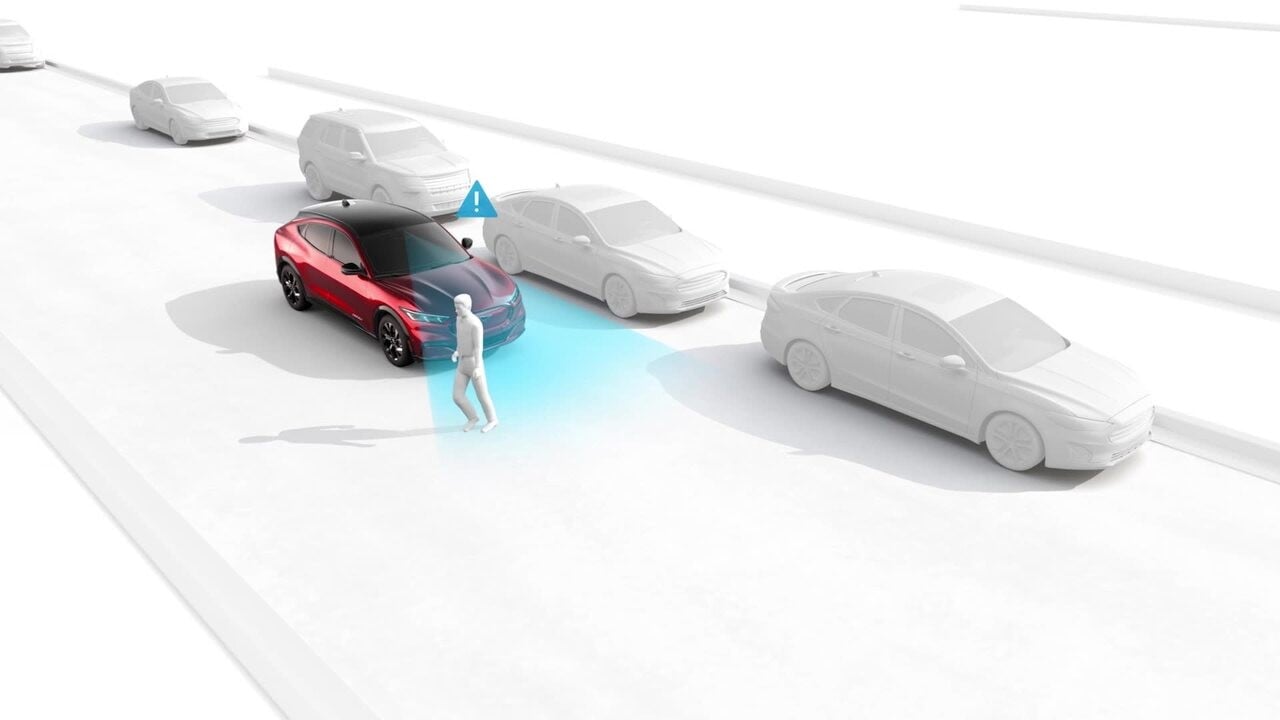
Forward-facing sensors can help detect a potential collision with pedestrians and vehicles ahead. If the system detects a possible collision ahead, it flashes a warning, sounds an alert, and applies the brakes if needed. This system was designed to help reduce the impact of, and possibly avoid, a frontal collision.
If you respond slowly, automatic emergency braking will precharge and increase brake assist sensitivity to provide full responsiveness when you do brake. If you don't apply the brakes and a collision is imminent, they can apply automatically.
The system sensitivity can be set to High, Normal, or Low. Ford recommends using the High setting for maximum results. Using lower settings could lead to fewer and delayed system warnings.
Adaptive Cruise Control With Stop-and-Go
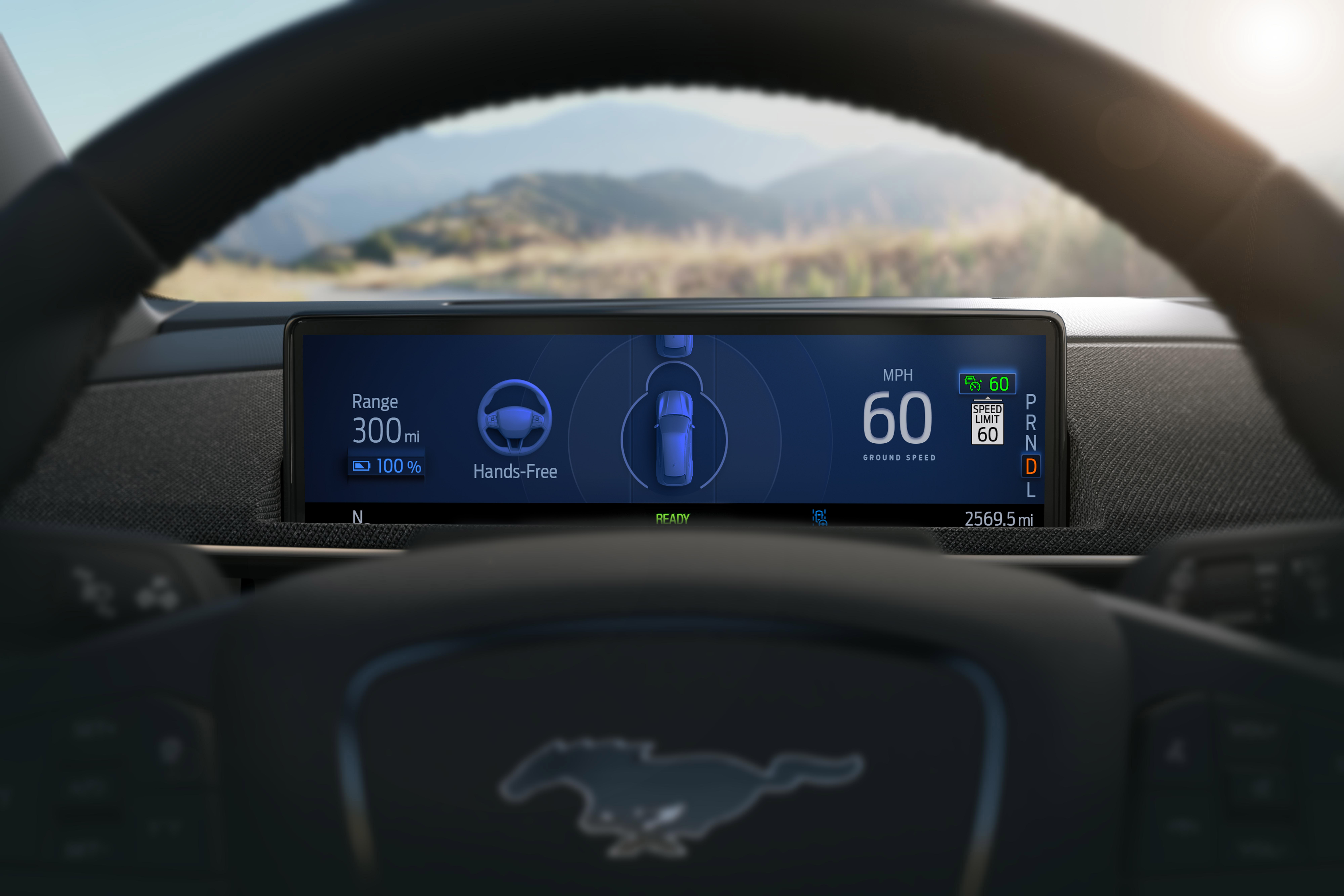
Ford's adaptive cruise control with stop-and-go system lets you set your vehicle's speed and following distance from the vehicle ahead. This system uses cameras and radar to track traffic flow and automatically adjust your speed to keep pace with the vehicle ahead, even to a complete stop.
You activate adaptive cruise control by selecting "Driver Assist" on your instrument cluster using the five-way steering wheel controls. Then, you select "Cruise Control" and choose "Adaptive" to enable the system. You can select "Normal" to use conventional cruise control.
Once you activate adaptive cruise control, you set the speed by pressing the "On" control switch on your steering wheel. When you reach your desired speed, press the "Set" switch and take your foot off the accelerator. The indicator light will switch from white to green after setting your speed. You can turn the system off by pressing the "Cancel (CNCL)" button on the steering wheel or applying the brakes.
Rear View Camera and Parking Assist Technologies
Ford's rear-view camera and parking assist technologies help you navigate your Ford Expedition in tight parking spots like those at the Tucson Mall. When you place your car in reverse, the camera sends a live video feed to your center display. Grid lines on the screen provide distance to objects, and as you approach one, the system will beep. The closer you get to an object, the faster the beeping speeds up.
Some vehicles have an available 360-degree camera system that uses cameras facing in every direction to render an image of your vehicle from above and its immediate surroundings. Depending on your vehicle, you might have Active Park Assist, Enhanced Active Park Assist, or Active Park Assist 2.0. These systems automate the parking process to various degrees.
Active Park Assist steers while you operate the accelerator, brakes, and shifting. Enhanced Active Park Assist will also help you get out of tight parking spots. Active Park Assist 2.0 steers, accelerates, brakes, and shifts for you.
Co-Pilot360 Availability for Ford Cars, Trucks, and SUVs
Nearly every Ford vehicle has Co-Pilot360. Some models have standard features like the rear view camera and offer more advanced systems, such as the 360-degree camera, in higher trim levels or as part of option packages. For a complete list of Ford's Co-Pilot360 availability by model, we recommend you contact our team.
What is Ford Co-Pilot360 and how does it work?
Ford Co-Pilot360 is a suite of driver-assistance features that uses cameras, radar, and sensors to monitor the area around your vehicle. When a potential hazard is detected, it can alert you with visual and audio cues and, in some cases, apply braking or gentle steering support to help you avoid or lessen a collision.
Which Ford models offer Co-Pilot360—what’s standard vs. available?
Nearly every Ford has Co-Pilot360. Core items like a rear view camera are commonly standard, while advanced features (such as a 360-degree camera or enhanced parking aids) may be included on higher trims or in option packages. For model-specific availability, contact ORO Ford and we’ll review your picks.
How does BLIS® (Blind Spot Information System) with Cross-Traffic Alert work?
BLIS uses rear bumper sensors to watch the lanes beside you and illuminates the corresponding mirror icon when a vehicle is in your blind spot (active from about 3 mph until you switch off the vehicle). Cross-Traffic Alert activates in Reverse and warns you—with a chime and screen message—when vehicles approach from either side.
When does the Lane-Keeping System operate, and what do the modes do?
Above ~40 mph (when at least one lane marking is visible), the system can:
-
Aid: apply gentle steering input to help nudge you back toward lane center.
-
Alert: vibrate the steering wheel if you drift—like driving over rumble strips.
-
Driver Alert: prompt you to take a break after repeated drift warnings.
You can use Aid and Alert together or individually.
What can Pre-Collision Assist with Automatic Emergency Braking detect?
Forward-facing sensors scan for vehicles and pedestrians ahead. If a collision seems likely, it flashes and sounds a warning and can precharge the brakes to boost your response. If you don’t react and a crash appears imminent, the system can apply the brakes automatically. Sensitivity can be set to High, Normal, or Low (High is recommended).
How do I use Adaptive Cruise Control with Stop-and-Go?
Enable it via Driver Assist → Cruise Control → Adaptive in your cluster, set your speed with the steering-wheel controls, and choose a following gap. The system can pace traffic—even to a complete stop—and then resume. You can cancel anytime with the CNCL button or by pressing the brakes.
What parking and camera features are available?
A rear view camera shows live video with guiding lines and proximity beeps in Reverse. Some models add a 360-degree camera view. Depending on the vehicle, Active Park Assist can steer while you brake/accelerate/shift; Enhanced Active Park Assist can also help exit tight spots; and Active Park Assist 2.0 can steer, accelerate, brake, and shift for you.
Are there conditions where these systems may not function as expected?
Yes. Poor weather, blocked/dirty sensors or cameras, faded or obscured lane lines, sharp curves, or unusual traffic scenarios can reduce performance. Driver-assistance features don’t replace safe driving—you must remain attentive and ready to take control at all times.
Compare Ford Co-Pilot360 vs Other Driver-Assist Systems: Which Brand Offers the Best Safety Technology?
Co-Pilot360 vs Other Brand Safety/Driving Suites
Feature availability shown as ? (included), ? (available on select trims/packages), — (typically not included in base suite).
| Feature |
Ford Co-Pilot360 Best Overall Coverage*
|
ToyotaSafety Sense | HondaHonda Sensing | NissanSafety Shield 360 | ChevroletSafety Assist | SubaruEyeSight | HyundaiSmartSense |
|---|---|---|---|---|---|---|---|
| Blind Spot Monitoring (BLIS) | ? | ? | ? | ? | ? | ? | ? |
| Rear Cross-Traffic Alert | ? | ? | ? | ? | ? | ? | ? |
| Lane Keeping (Aid + Alert) | ? | ? | ? | ? | ? | ? | ? |
| Driver Attention Alert | ? | ? | ? | ? | — | ? | ? |
| Auto Emergency Braking (AEB) w/ Pedestrian Detection | ? | ? | ? | ? | ? | ? | ? |
| Intersection Assist (AEB at turns) | ? | ? | ? | — | — | — | ? |
| Adaptive Cruise w/ Stop-and-Go | ? | ? | ? | ? | ? | ? | ? |
| Road-Sign / Speed-Limit Recognition | ? | ? | ? | — | — | ? | ? |
| Rear View Camera (Std.) | ? | ? | ? | ? | ? | ? | ? |
| 360º Surround View Camera | ? | ? | ? | ? | ? | ? | ? |
| Active Park Assist (auto steering/braking) | ? | — | — | ? | ? | — | ? |
| Reverse Brake Assist | ? | — | — | ? (rear AEB) | ? | — | ? |
| Coverage Score† | 9.0 / 12 | 8.0 / 12 | 7.5 / 12 | 8.0 / 12 | 6.5 / 12 | 7.5 / 12 | 8.0 / 12 |
*“Best Overall Coverage” reflects breadth across common safety/driver-assist categories and the availability of advanced parking automation in Ford’s lineup.
†Coverage Score uses ? = 1, ? = 0.5, — = 0, summed across listed features. Actual equipment varies by model/trim and model year. Always review the Monroney/window sticker or consult ORO Ford for exact availability.
Why Ford Drivers in Oracle Choose Co-Pilot360 Technology
Oracle drivers love the increased confidence you get in a Ford vehicle equipped with Co-Pilot360. Whether you're running the kids to school in your Ford Explorer or commuting to Tucson for work, Ford's Co-Pilot360 has your back. Ford's cutting-edge technology helps you drive more safely, keeping you centered in your lane or providing emergency braking in moments of distraction.
Contact ORO Ford to Explore Co-Pilot360 Safety Features Today
If you're shopping for a new vehicle and want the latest safety tech, ORO Ford has an expansive inventory of cars, trucks, and SUVs equipped with the Co-Pilot360 safety system. We recommend you contact our sales team to coordinate a demonstration of these advanced systems. Our friendly, knowledgeable staff will answer all your questions and help you find the perfect Ford with all the tech you need.
Images by OEM